Tripo Studio · characters
Two characters, two art styles
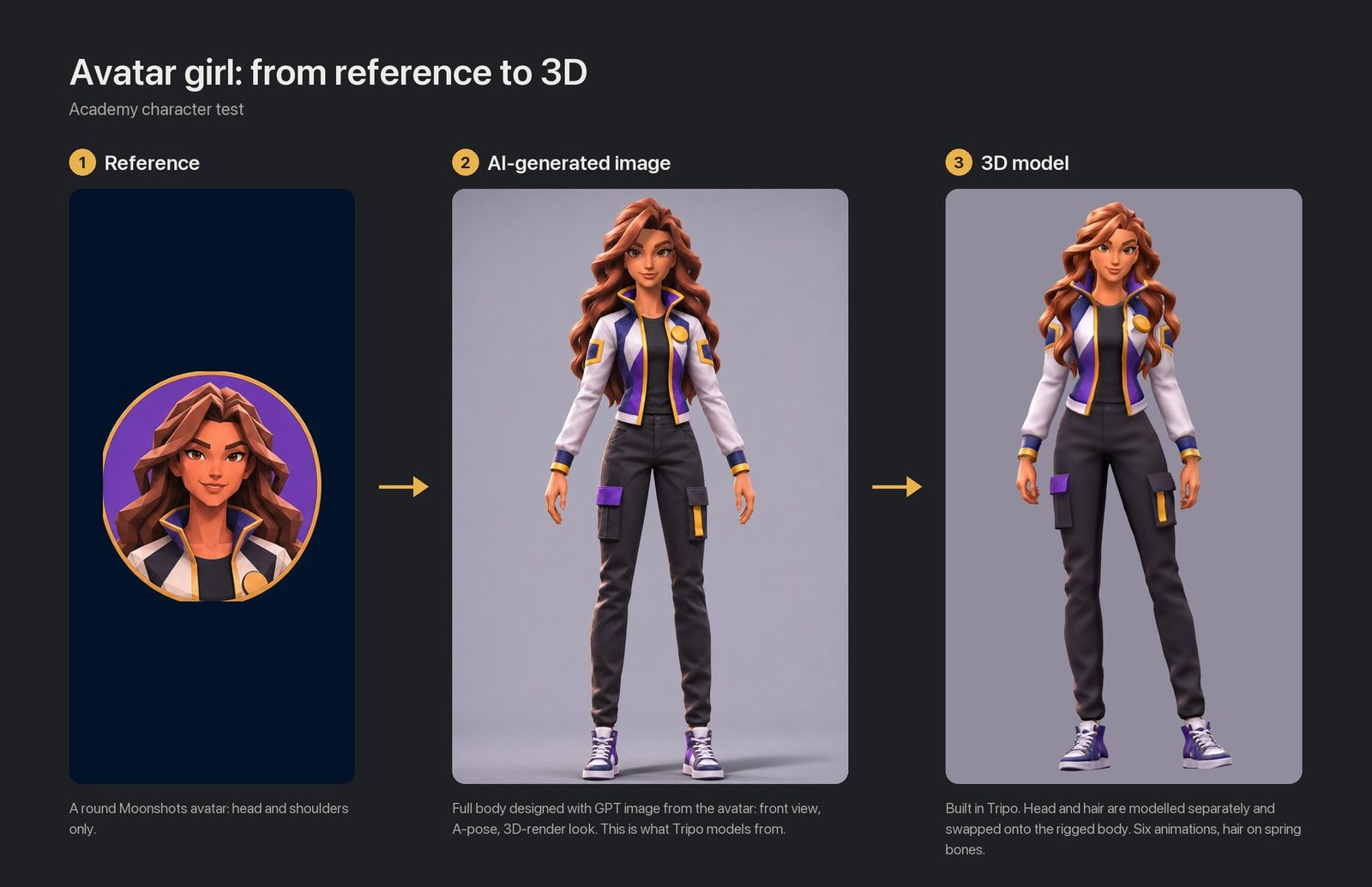
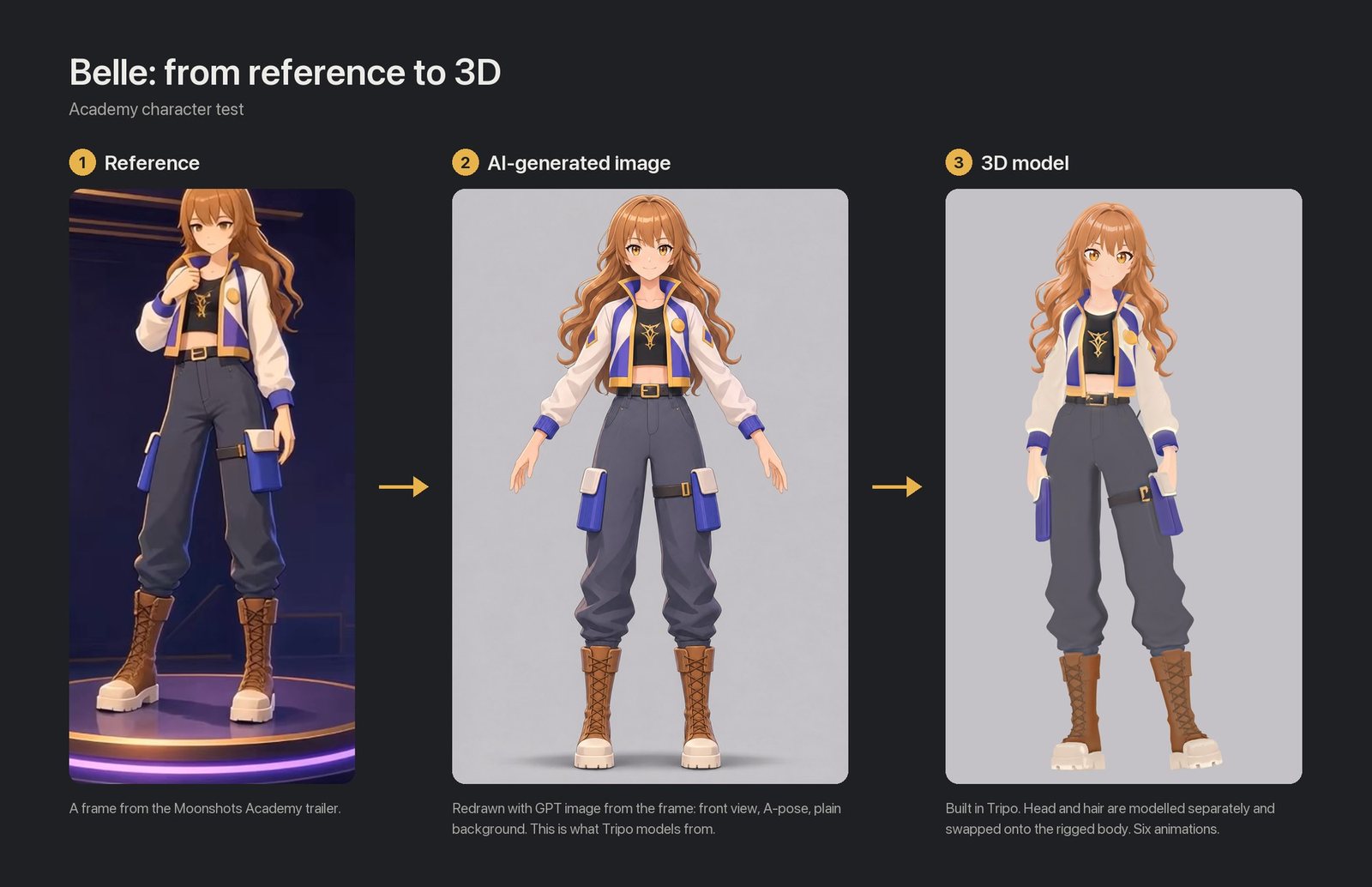
~440 creditsTripo, per character (estimate)
6 animationseach, picked from 97 free presets
Both characters side by side: academy-character-preview.pages.dev
For characters and for scenes: what each tool is good at, where it falls short, and what to use next.
Tripo Studio · Tripo Canvas · Charakuru · VRoid
World Labs Atlas · Pure code (three.js) + Tripo Studio props (direction, testing)
| Tripo Studiohead-swap workflow | Tripo Canvas | Charakuru | VRoid | World Labs Atlas | Pure code | |
|---|---|---|---|---|---|---|
| Used for | Characters + scene props, testing | Characters, props | Anime characters | Anime heads | Scene previews | Scenes with Tripo Studio props |
| Output | Rigged GLB | Same as Studio | VRM | VRM | Gaussian splat | three.js scene |
| Usable in the game | ✓ | ✓ | ✓ | ✓ | ✗ look only | ✓ |
| Claude can run it | ✓ | △ agent misreads | ✓ | ✗ hand-made in UI | △ frame by frame | ✓ |
| Cost | ~440 credits per character | Same prices images free | A few hundred credits | Free | ~$7 per room | No credits |
| Verdict | Recommended | Same as Studio | Candidate | Backup | Previews only | Still testing scene direction |
Character tools are tested end to end. Scene tools are not: the current scene direction is Tripo Studio + pure code, many scene tests are still to run, and the scene workflow will differ from the character one.
Head, hair and body are modelled separately, then put together.
Step by step: academy-character-workflow.pages.dev
Both characters side by side: academy-character-preview.pages.dev
| ✓ Strength | ✗ Gap | |
|---|---|---|
| Art styles | Works for both a 3D-render look and an anime face | |
| Control | Each part on its own: the face stays sharp, the hair can get physics. A person reviews every step, so quality stays under control | Many manual steps; labour-intensive |
| Animation | 97 preset animations, free to apply | The presets share the same faults (drooping shoulders, toes out), fixed every time |
| Reuse | Every fix is a script, ready for the next character | |
| Budget | The two characters are 120,000–130,000 triangles; the 25,000 budget is tested on one head only | |
| Finishing | No VRM packaging, expressions or toon shading yet | |
| Licence | No issues |
Both go image → Tripo Smart Mesh → assemble → rig → animate. Charakuru adds a VRM finishing stage; the head-swap workflow does more in the front half.
| Charakuru | Head-swap workflow | |
|---|---|---|
| Parts | Head with hair, body · 2 | Bald head, hair, full body · 3 |
| Candidates | 4 per part, pick one | 1 per part |
| Polycount | 25,000 quads per part | Per part: head 2,500 · hair ~4,500 · body ~5,000 ✓ |
| Animations | One bundled walk, not usable outside the kit | 97 Tripo presets ✓ |
| Hair physics | Automatic ✓ | Added with scripts |
| Toon shading | Built in ✓ | Not yet |
| Expressions | Built in ✓ | Not yet |
| Output | VRM file ✓ | GLB with VRM bone names |
| Licence | Written licence for commercial use ✗ | No issue ✓ |
| Tripo Canvas | Claude driving Tripo Studio | |
|---|---|---|
| Models and prices | Same | Same |
| Image generation | Built in, 0 credits on the Max plan ✓ | Codex or OpenAI API, ~$0.10 per image |
| Visible to the team | Node graph, saved as a template ✓ | In chat and scripts |
| Following instructions | The agent often misreads ✗ | Stable ✓ |
| Checks against the source | None ✗ | Proportions, overlays, clipping, every frame ✓ |
| Pitfalls | Enter sends; a second upload doesn't attach; no price on confirm cards |
The same kind of thing: an AI agent that operates 3D software from written instructions. Claude + Blender is more controllable.
| AI 3D Lab | Claude + Blender | |
|---|---|---|
| Where it runs | Inside Tripo, no export needed | Locally, after export from Tripo |
| What it did | Not visible ✗ | Every step is a script ✓ |
| Reuse | New instructions each time | Scripts reused for the next character ✓ |
| Checking | Scores its own similarity to the reference | Measured: proportions, overlays, clipping, every frame ✓ |
| Knows the project | Only this task's inputs | Budgets, lighting rules, VRM skeleton ✓ |
| Cost | Credits per task, price not published | No Tripo credits |
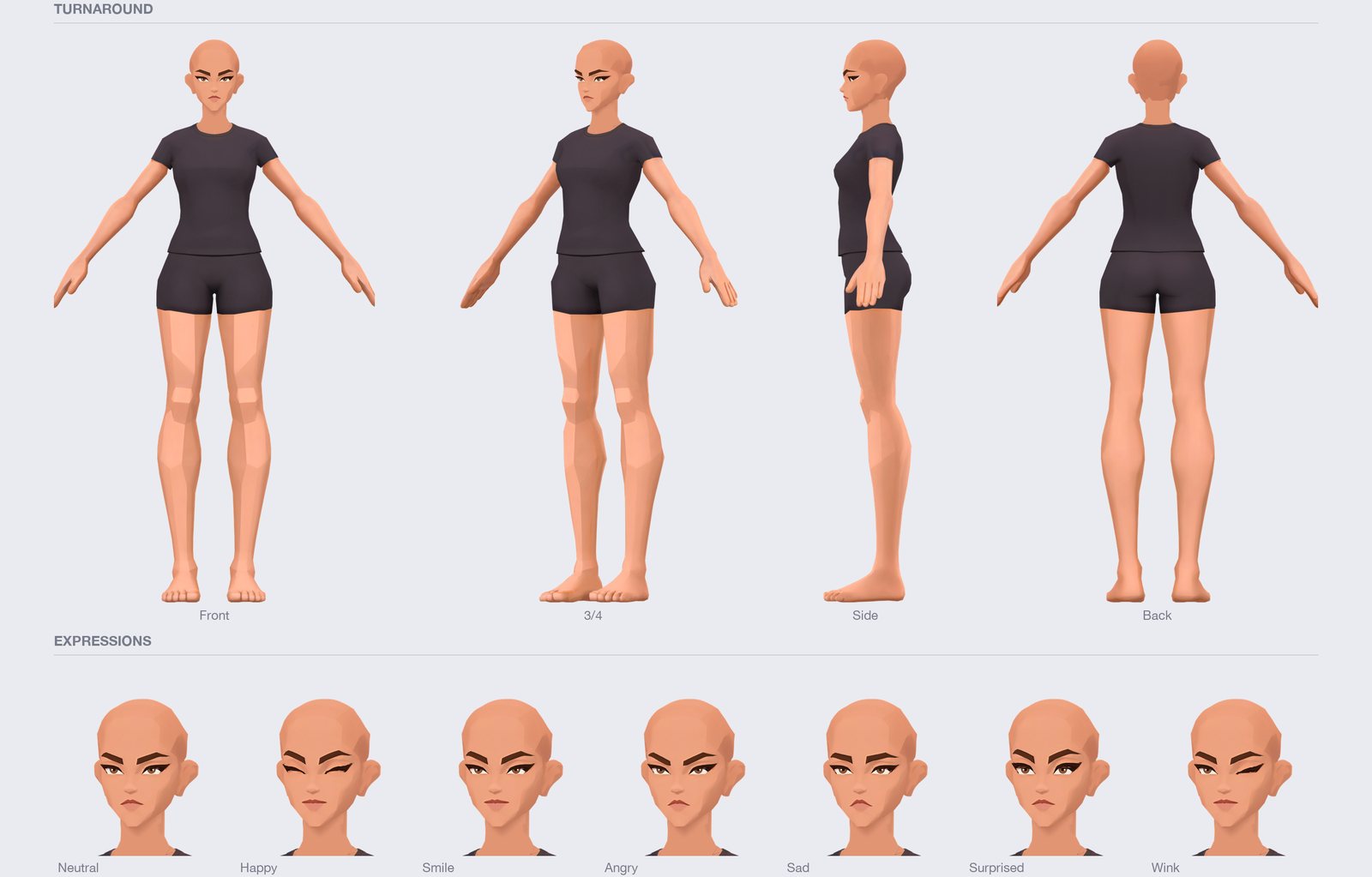
| Anime characters | △ Worth a retest with an anime character |
|---|---|
| Non-anime characters | ✗ Use the head-swap workflow instead |
| Base Body C (made) | ✓ Usable |
The test used a bald, non-anime base body, so its strengths went unused.
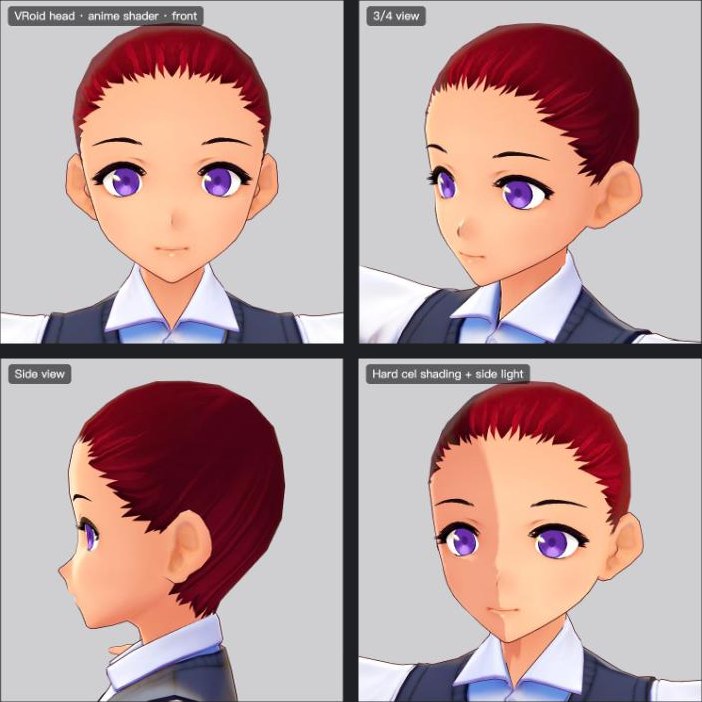
| Fallback for anime heads | ✓ If Smart Mesh falls short |
|---|---|
| Main workflow | ✗ Tripo Smart Mesh already makes anime heads (Belle) |
| Its toon shading | ✓ Worth borrowing |
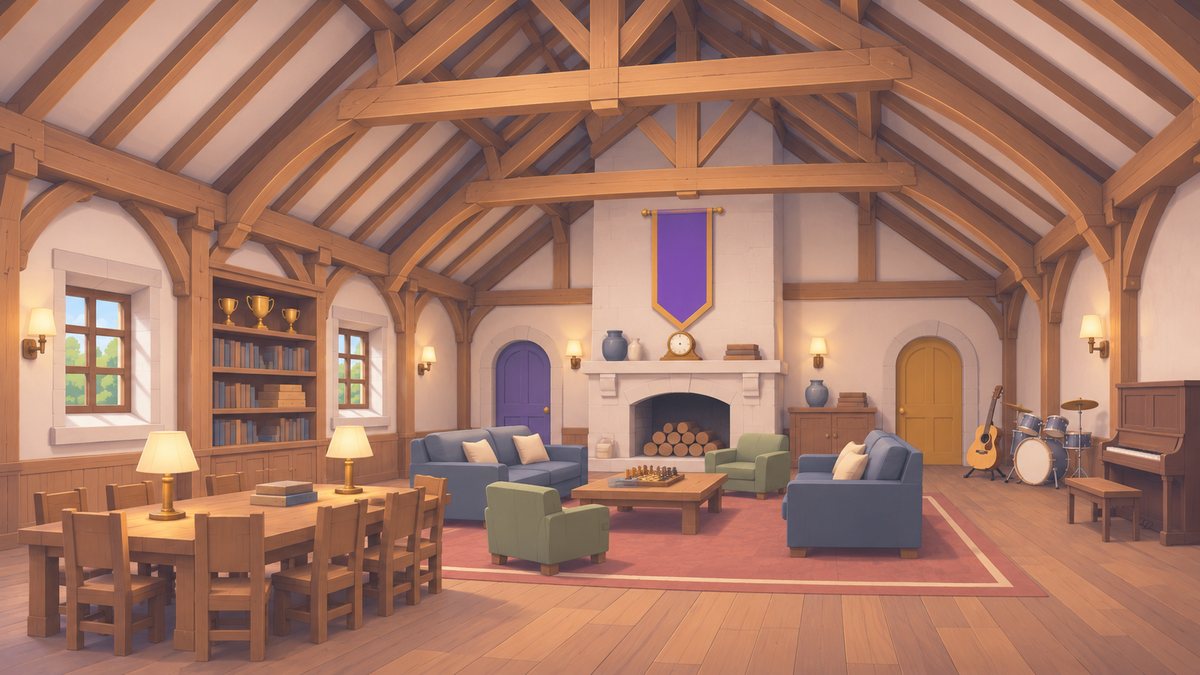
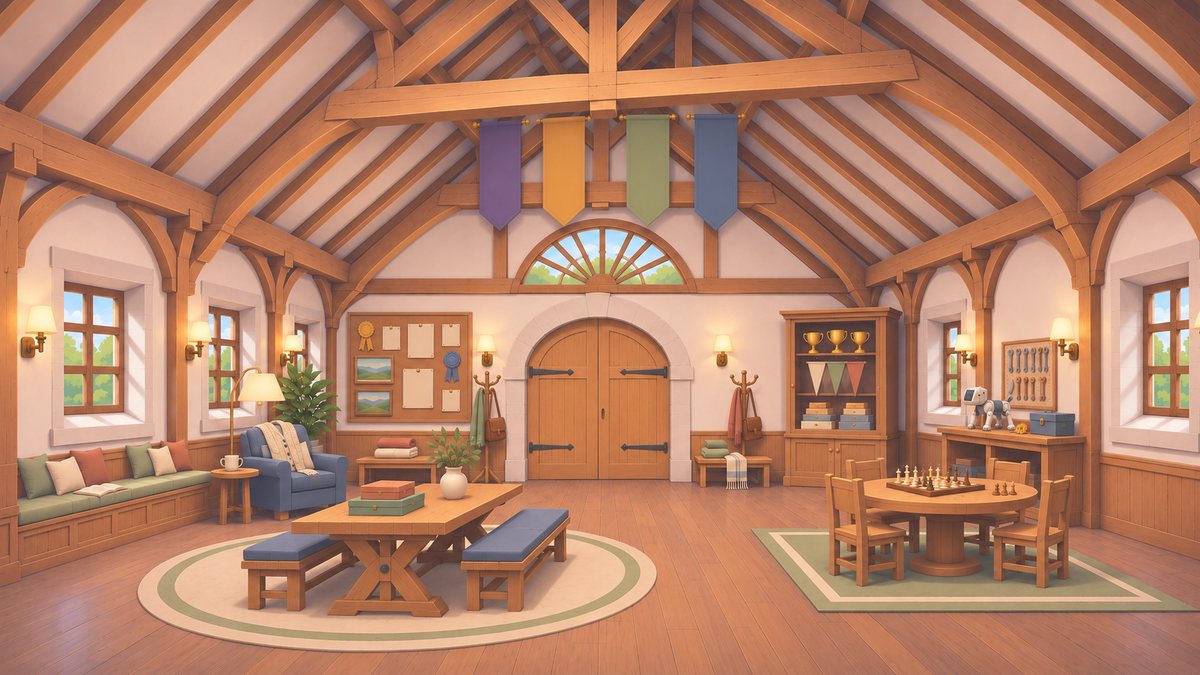
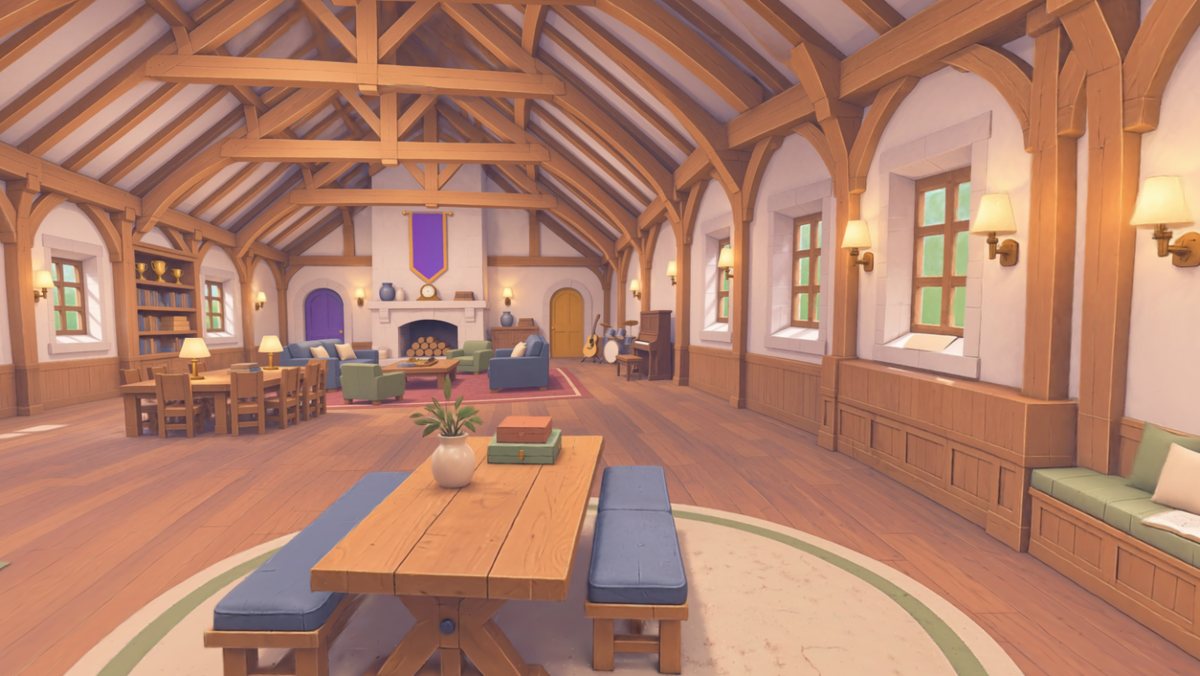
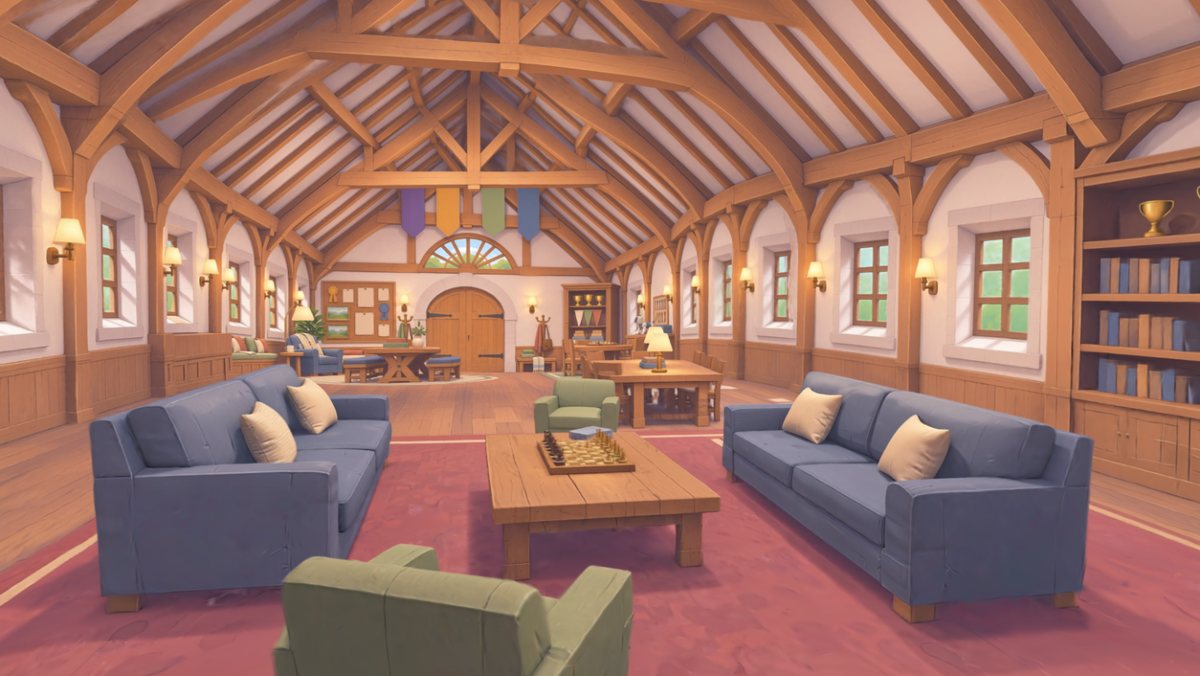
| Atlas | |
|---|---|
| Fidelity to concept | ✓ The highest of all |
| Fills in the unseen | ✓ A whole room from two images |
| Cost | About $7 per room |
| What it is | ✗ A Gaussian splat: nothing moves or can be reused |
| Into 3D models | ✗ A big job, close to remodelling |
| Weight and effort | 32 MB per room; every new view placed by hand |
| Use it for | |
|---|---|
| Promo shots | ✓ |
| Space previews for the team | ✓ |
| Game levels | ✗ No movement, no collision |
| Every room this way | ✗ Too heavy, too slow |
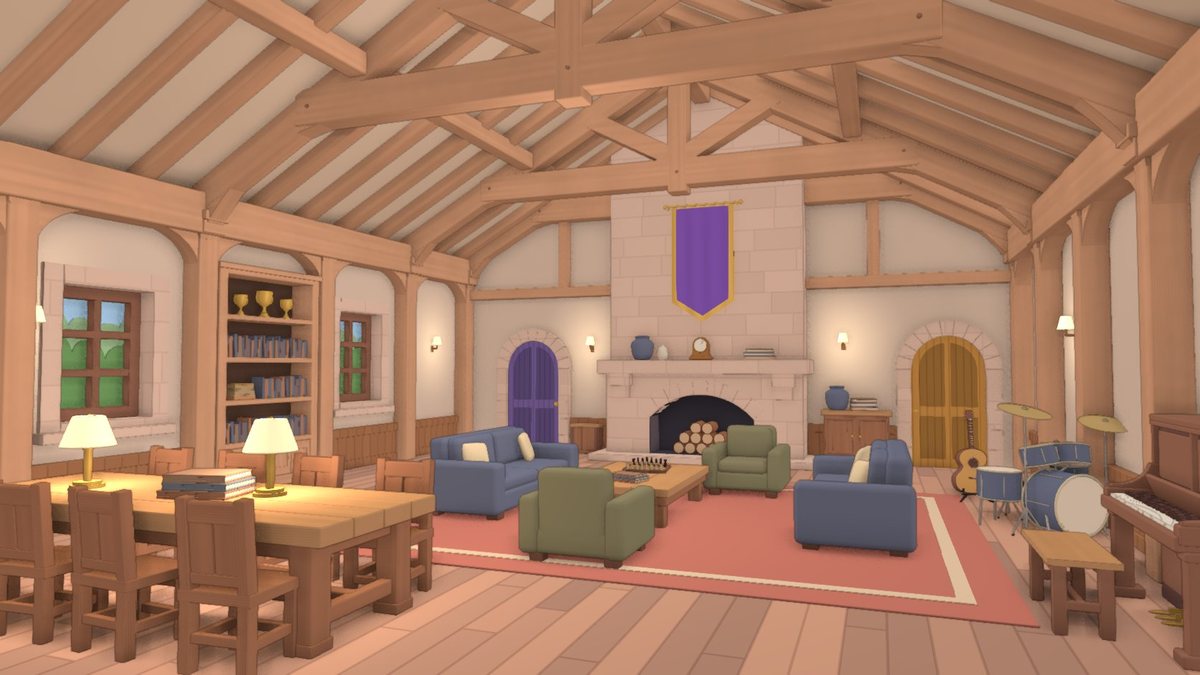
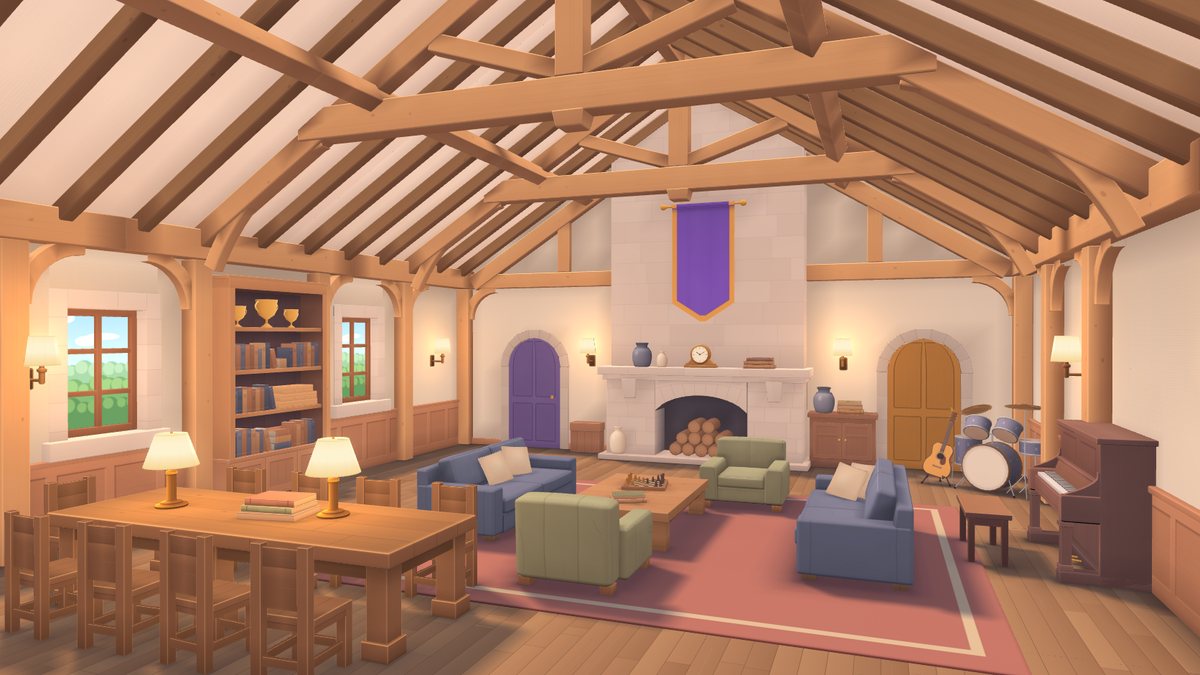
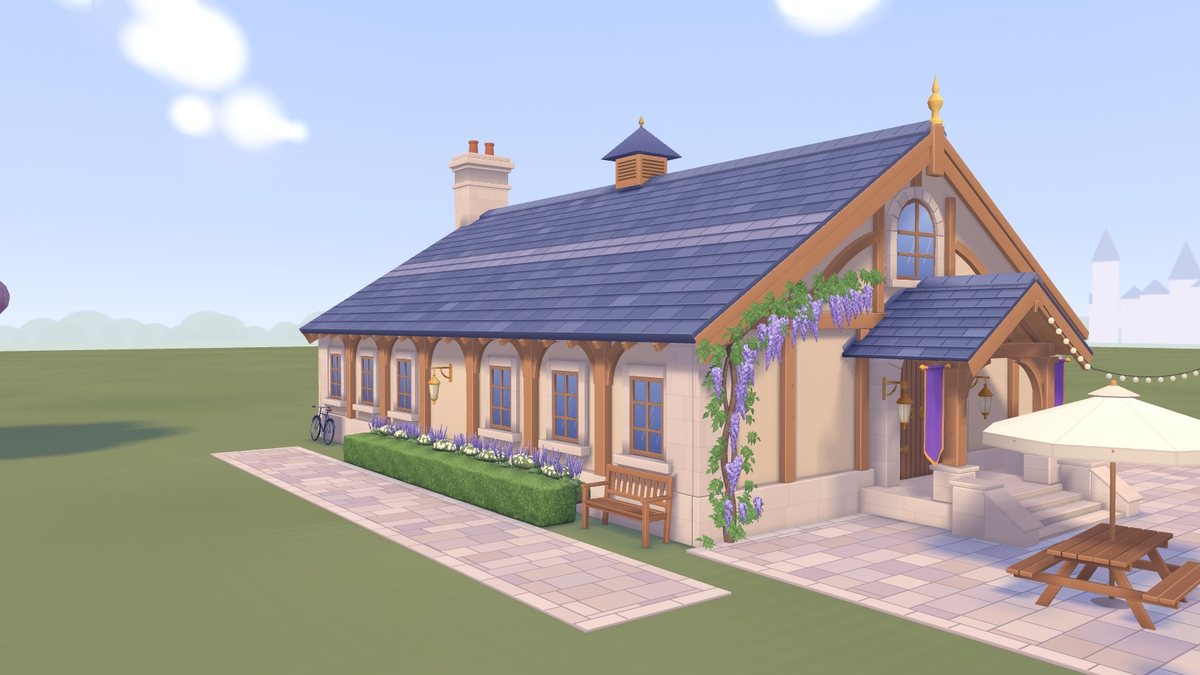
| Codex writes, Claude reviews | Claude writes | |
|---|---|---|
| Scale | 25 furniture types | 46 object types, 104 placed |
| Download | 2.5 MB | 2.6 MB |
| Review score | 6 / 10 | 7 / 10 room · 6 / 10 exterior |
| Heavy part | Per-pixel shading | Textures in GPU memory |
| Known so far | |
|---|---|
| Collision, interaction | ✓ |
| Plants and fabric | ✗ The weakest part |
| Indoor ↔ outdoor, door transition | △ Still testing |
| Mixing in Tripo Studio props | △ Still testing |
| Phones | △ Still testing |
The scene conclusions here are provisional. The scene workflow will not look like the character workflow: a room needs a shell, exact sizes and both sides of every wall, and image-to-3D does not produce that. Tripo's own interior tutorial builds the room shell with code or AI 3D Lab, not from an image.
Not settled yet. The direction being tested next.
The room shell and the building: floors, walls, roof, doors, windows, plain furniture
Props whose shape matters: plants, statues, instruments, robots
| Test | What it answers | Status |
|---|---|---|
| Tripo Studio Smart Mesh for props | How good and how heavy AI-made props are inside a room | △ Parts list only, no models yet |
| Tripo Studio props inside a code-built room | Whether style, scale and lighting match | ✗ Not started |
| Indoor ↔ outdoor, door transition | How a player gets from the exterior into the room | △ Not decided |
| Phones and larger areas | Frame rate, memory, loading as the player moves | ✗ Not started |
| Use | Status | |
|---|---|---|
| Characters | The Tripo head-swap workflow; add the last stage (VRM, expressions, toon shading) the way Charakuru does it | Settled |
| Anime characters | Charakuru as a candidate, after a retest; VRoid as a backup | To retest |
| Scene previews | Atlas, for promo shots and space previews only | Settled |
| Scenes in the game | Direction: Tripo Studio + pure code (code for the room and building, Tripo Studio for props). A separate scene workflow will follow the tests | Still testing |
| Division of work | Tripo generates; Claude and Blender assemble and fix, measuring against the source image | Settled |
| # | Task | Why |
|---|---|---|
| 1 | Build one character end to end within budget | Check the polycount: head 2,500 · hair ~4,500 · body ~5,000 quads |
| 2 | Add VRM, expressions and toon shading | The last stage of the character workflow |
| 3 | Retest Charakuru with an anime character | The first test used the wrong kind of input; ask about the licence at the same time |
| 4 | Make a Canvas template | So the team can follow the workflow |
| 5 | Test the Tripo Studio + pure code direction | Tripo Studio props in a code-built room, the indoor–outdoor connection, phones; then write the scene workflow |